Author the question
Prepare the question, answer options, grading information and topic metadata.
Questionbank platform
Give educational content a clear journey: from first draft and review to an organised, reusable question library.
For question authors, reviewers and education teamsChoose a feature to see how it works
and what it helps you do.
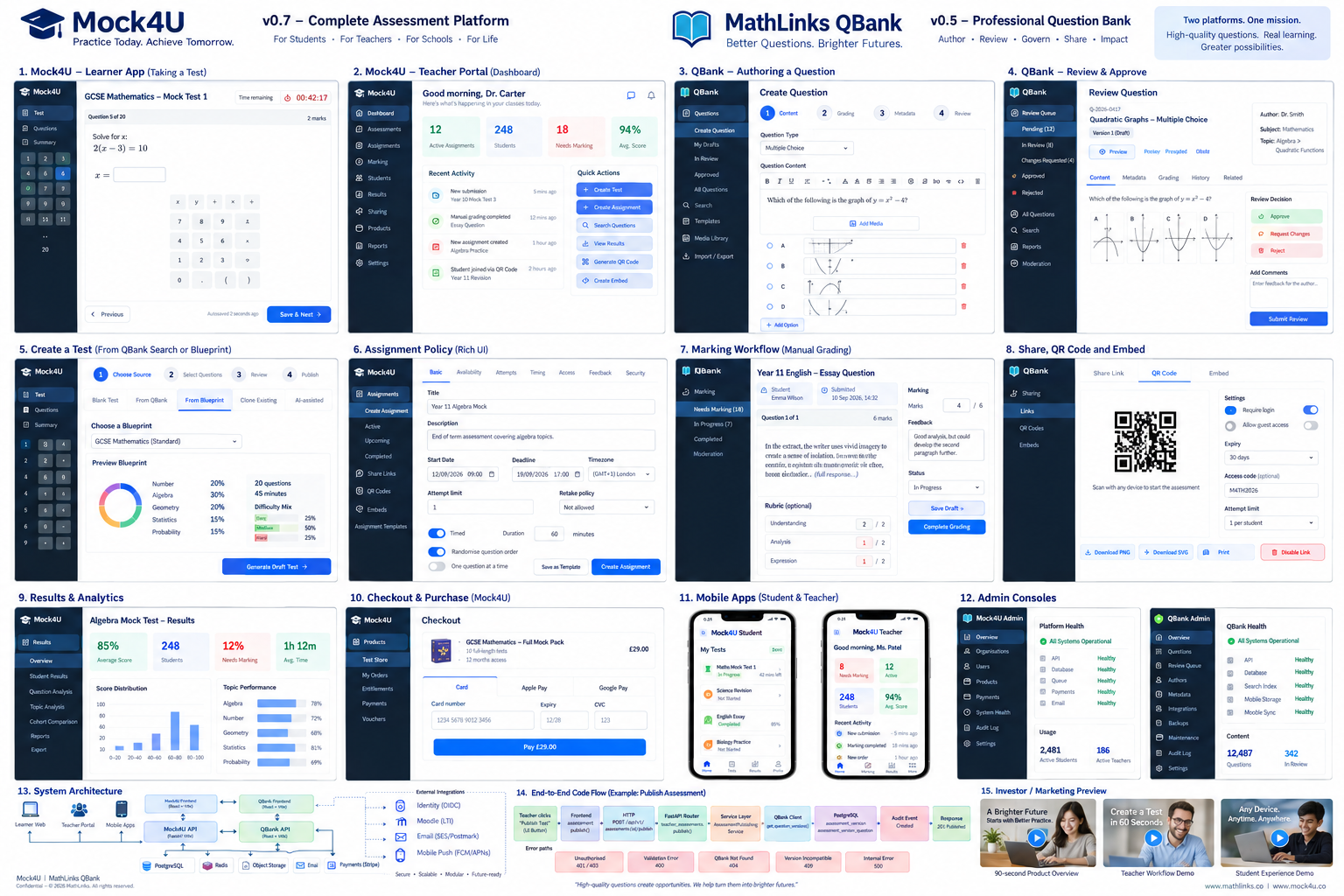
The authoring workflow separates question content, grading and metadata into a guided workflow.
The review screen brings the question, its metadata and the reviewer’s decision together.
The sharing tools offer options for distributing assessment content through links, QR codes and embeds.
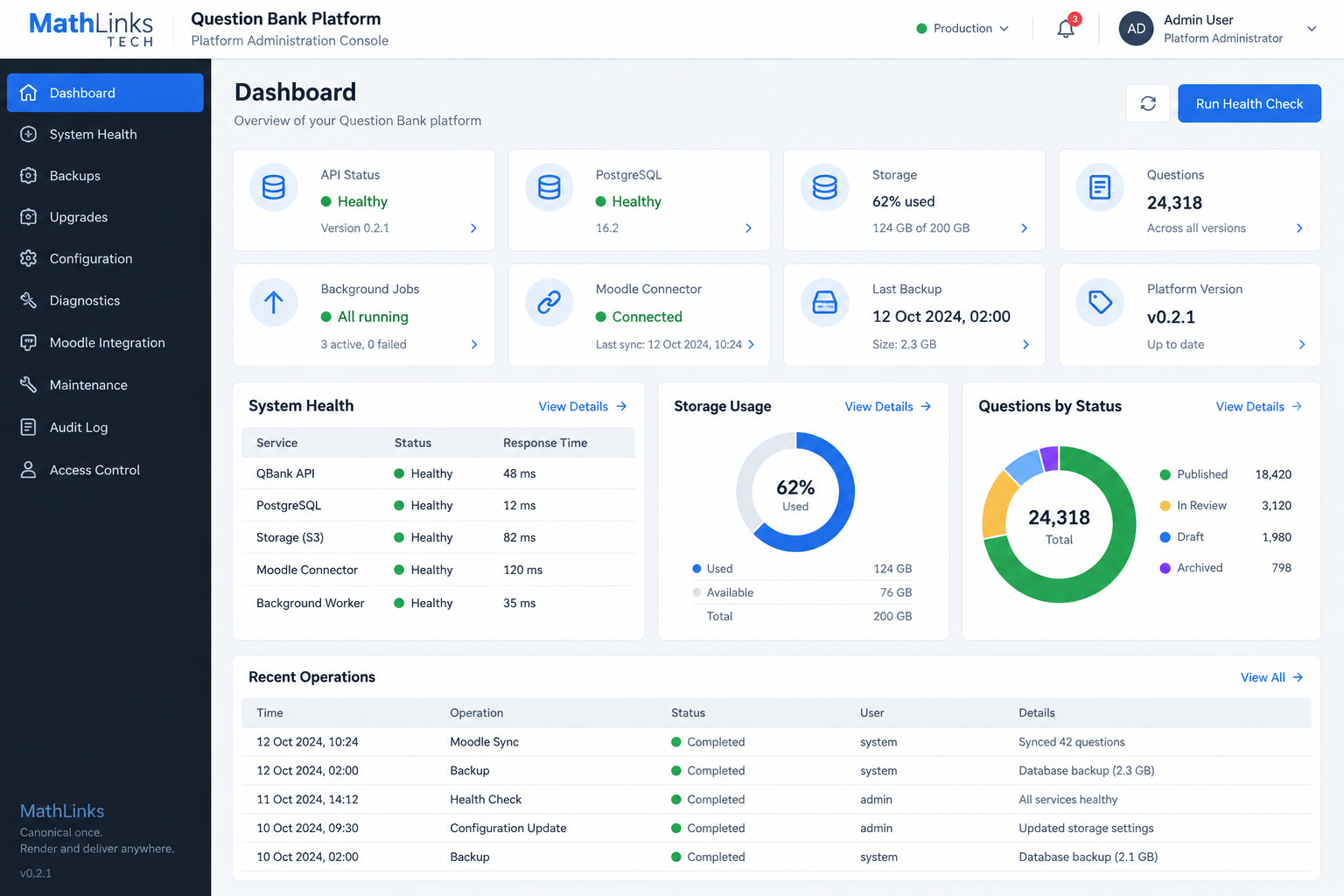
The administration dashboard gives teams an overview of content status and platform operations.
A captioned walkthrough of all four features.
Meet the Questionbank platform. Start by creating a question. Choose its type, write the prompt, and add answer options or supporting media. The workflow separates content, grading and metadata, so authors can work through the details in a clear order.
Next comes review. Check the question and its grading information, then leave a clear decision. Approve the content when it is ready, or request changes with comments that help the author improve it.
Once content is ready, consider how it will reach learners. Sharing options include links, Q R codes and embeds, with access settings to suit the intended audience. Review these settings before sharing.
The administration overview brings the wider library into view. See content by status and follow the operations that support the platform. Contact Mathlinks Tech to discuss how the Questionbank platform could support your team.
Prepare the question, answer options, grading information and topic metadata.
Check accuracy and clarity, then approve it or return it with actionable comments.
Organise approved questions and monitor the content library as it grows.
Tell us about your teaching, learning or content needs. We’d love to hear from you.